Build stronger customer connections with smart automation.
Faster replies. Happier customers. Higher sales.
Connect With AI Agent
Trusted by thousands of Startups like yours






How To Connect WhatsApp In Facebook Ads..?
-
Create a WhatsApp Ad in Meta Ads Manager
1. Go to Meta Ads Manager
2. Click Create Ad.
3. Choose the objective “Engagement” or “Sales”, and select “Click to message”.
4. Under Messaging apps, check WhatsApp (you’ll see your linked WhatsApp number).
5. Set up your audience, budget, and ad placement (e.g., Facebook feed).
6. In the Ad Setup section:
• Add your image/video and primary text.
• Under Call to Action, choose Send WhatsApp Message.
• Set your Keyword in the Message format for automation chatbot.
7. Preview your ad and click Publish.
-
Test Your Ad...
1] After publishing
• Click your ad preview.
• It should open a WhatsApp chat window with your business number.
• You can even pre-fill a custom welcome message (optional) like:
Hi! I saw your ad on Facebook and I’m interested.2] For quick demo follow the below details
You can find the facebook ads layout right side on the desktop or below the content on the mobile click on WhatsApp Button

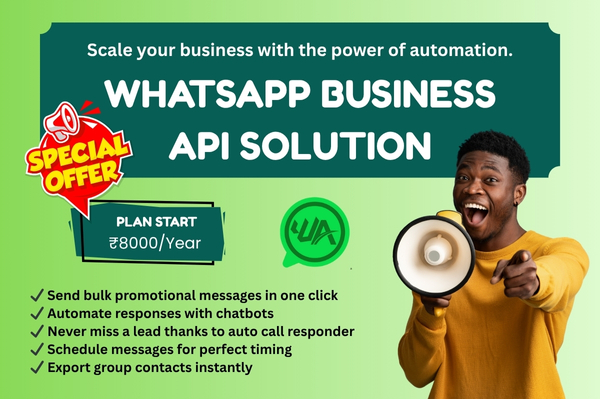
Automate. Connect. Grow.
How To Connect WhatsApp In Instagram Ads..?
-
Create “Click-to-WhatsApp” Ad in Meta Ads Manager
1. Go to Meta Ads Manager
2. Click Create Ad.
3. Choose the objective “Engagement” or “Sales”, and select “Click to message”.
4. Under Messaging apps, Select WhatsApp (You’ll see your linked WhatsApp number appear automatically.).
5. In Ad Setup:
• Choose Manual Upload (Single Image or Video) or existing post.
• Select your Instagram account under “Identity”.
• Add Primary Text (caption), Image/Video, and Headline.
6. Under Call to Action, select: 👉 “Send WhatsApp Message”
Set your Keyword in the message format for automation chatbot.
7. Scroll to Message Template → Pre-filled message
Add something like:
Hi! I saw your ad on Instagram and I’m interested.
8. Choose Audience, Budget, and Schedule
• Select your target audience (location, interests, etc.)
• Set your budget and schedule
9. Click On Publish -
After publishing
1. Your Instagram Ad will show a “Send WhatsApp Message” button.
2. When users tap, it opens WhatsApp chat directly with your business number.
3. For quick demo follow the below details
You can find the Instagram ads layout right side on the desktop or below the content on the mobile click on "Chat On WhatsApp" Strip Button.
Features
Smarter replies. Better insights. Faster growth.
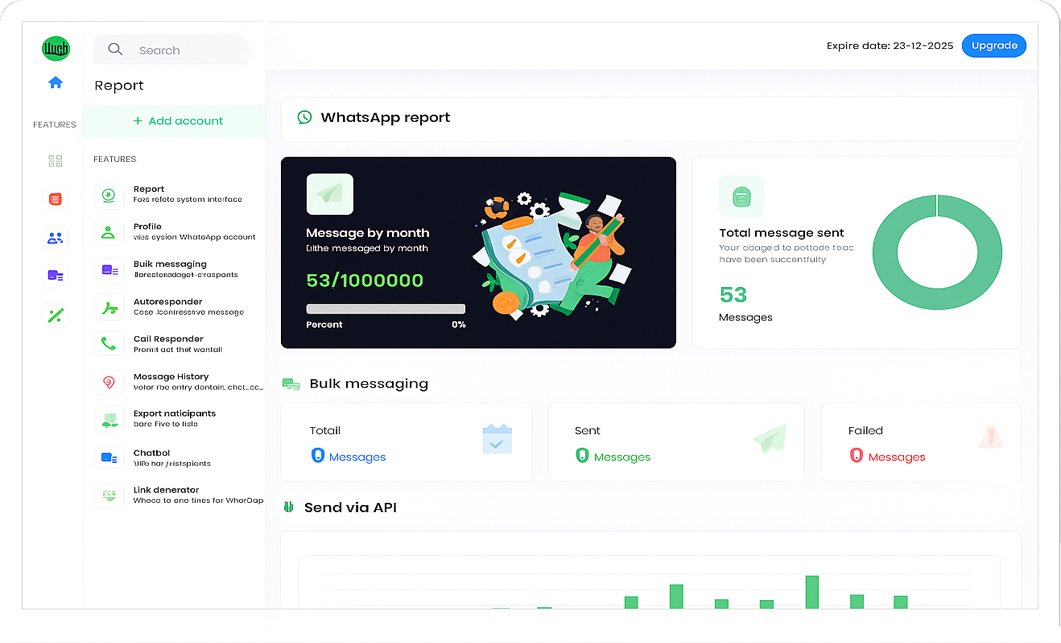
Send Bulk Promotional Messages in One Click
Reach thousands of customers instantly with just one click. Perfect for promotions, updates, and announcements—saving time and boosting engagement.
Engage Customers with Chatbots
Automate your conversations with intelligent chatbots that reply instantly, handle queries, and keep your customers engaged 24/7.
Buttons, List & Poll Templates
Make your messages interactive with clickable buttons, structured lists, and polls that enhance user engagement and simplify responses.
Payment Collection
Collect payments directly through WhatsApp with secure links and instant confirmations — making the payment process smooth and hassle-free for your customers.
Message Scheduling – Deliver Messages at the Perfect Time
Plan and schedule your messages in advance to ensure they reach your audience at the right moment for maximum impact.
Call Responder – Auto-Messages for Missed Calls
Never miss a lead again! Automatically send WhatsApp messages whenever a call is missed or rejected to stay connected effortlessly.
Share Media and Documents in Seconds
Easily send PDFs, images, videos, and other media files through WhatsApp in bulk to share information quickly and professionally.
Export Contacts & Share Media Files Easily
Export WhatsApp group contacts and manage your customer lists with ease—making media sharing and follow-ups faster than ever.
-
What is WhatsApp automation software?
It’s software or platform that automates interactions on WhatsApp (typically via the Business API or authorized provider) so that businesses can send/receive messages, respond to FAQs, trigger workflows (e.g., welcome message, order confirmation) without manual intervention.
-
What are the main risks or limitations?
-
Compliance & policy risks: Using non-official automation (screen-scraping, bots on personal accounts) can lead to account suspension or banning.
“All automation, yours or a third party, is not allowed on WhatsApp, specifically personal WhatsApp accounts.” -
User experience risk: Bots must reply intelligently. If they mis-understand or respond awkwardly, user dissatisfaction results. Good designs include fallback to human.
-
Data-security/privacy: Since user conversations flow via your platform, you need to ensure encryption, secure storage, compliance with local laws.
-
Costs & setup complexity: Depending on scale and API usage, you might incur fixed costs, message-template approvals, number provisioning.
-
Spam/over-messaging risk:Spam/over-messaging risk: If you blast too many unsolicited messages, you might be flagged for spam and lose access.
-
-
Can I customise the responses and branding?
Yes, WA Smarty automation platforms allow you to configure message templates, personalise with variables (name, order id, etc.), and build chatbot flows. For example, WA Smarty platform says you can “fully personalize your bot’s responses to reflect your brand’s voice.”